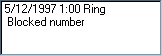
 Caller ID window
This window displays information about received calls
regardless of whether the call was answered. It shows
the time and date of the call and Ring, Ring1, Ring2 or
Ring3 to indicate different types of distinctive ringing.
Below that the calling party's phone number is displayed
if you have Caller ID service and it's supported by your
modem. It can also display Blocked number or Out of area
if that particular caller's ID is not available. Double
click on a number to callback
that person. Debugging information is displayed in this
window when debug mode is on.
 Playback speed control
While playing a message the speed (independant of pitch)
can be controlled with some loss in sound quality. The
middle position is normal speed, to the right is faster,
left slower. Speed can be varied within the range of
X0.5 - X2.0.
 Tone detect display
This display shows the last touch tone that was detected
while interacting with a caller. This display also
functions in local mode when the user clicks on the
numeric keypad with the mouse even though no actual tones
are played.


